 Photo Wiki
Your AI can't see your camera roll.당신의 AI는 사진첩을 못 봐요.
Photo Wiki turns the photos you pick into context your assistant can search, read and build on, so it can finally answer from what you've seen.Photo Wiki는 고른 사진을 AI가 찾고, 읽고, 이어 쓸 수 있는 맥락으로 바꿔요. 내가 본 것을 바탕으로 AI가 답하게 돼요.
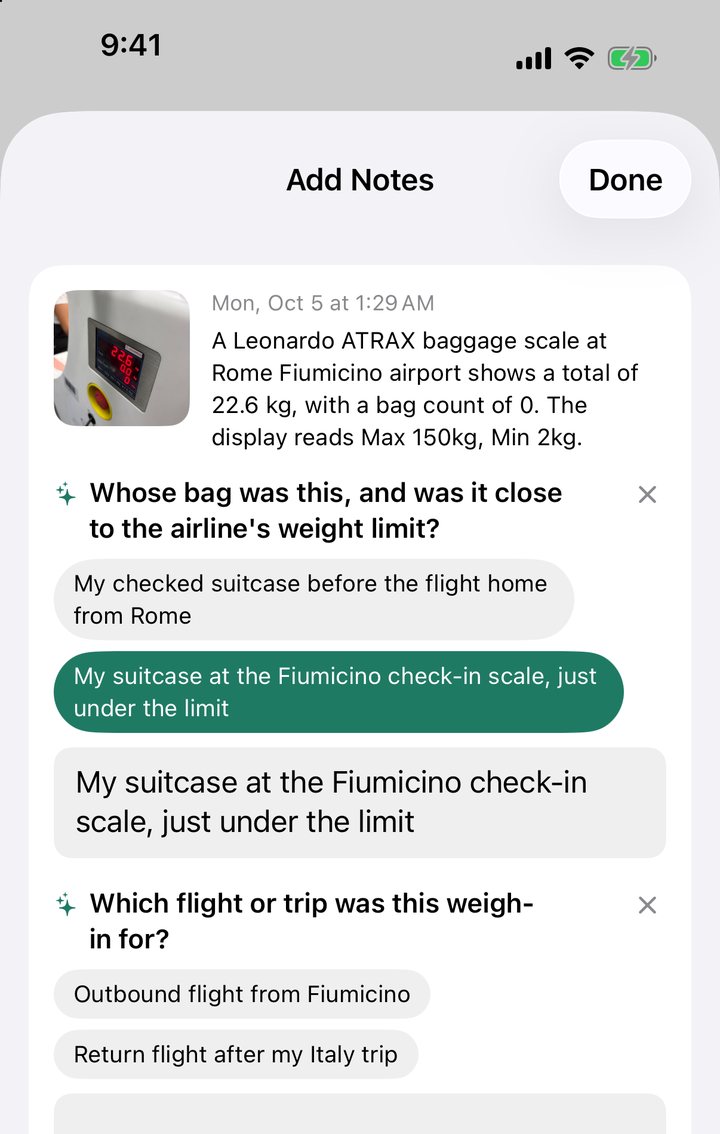
Then you just ask.그다음엔 그냥 물어보면 돼요.
Your assistant answers from what's in the photos and what you said about them. No digging through your gallery, no uploading the same screenshot into every new chat.AI가 사진에 있는 것과 내가 붙인 말로 답해요. 사진첩을 뒤지거나, 새 대화마다 같은 스크린샷을 다시 올릴 필요가 없어요.
- Where am I working Friday?모레 근무지 어디였지?
- Where did I see that watch I wanted?사려고 찍어 둔 시계, 어디서 봤지?
- What did I do on day two in Rome?로마 둘째 날에 뭐 했지?
How it works이렇게 써요
-
1
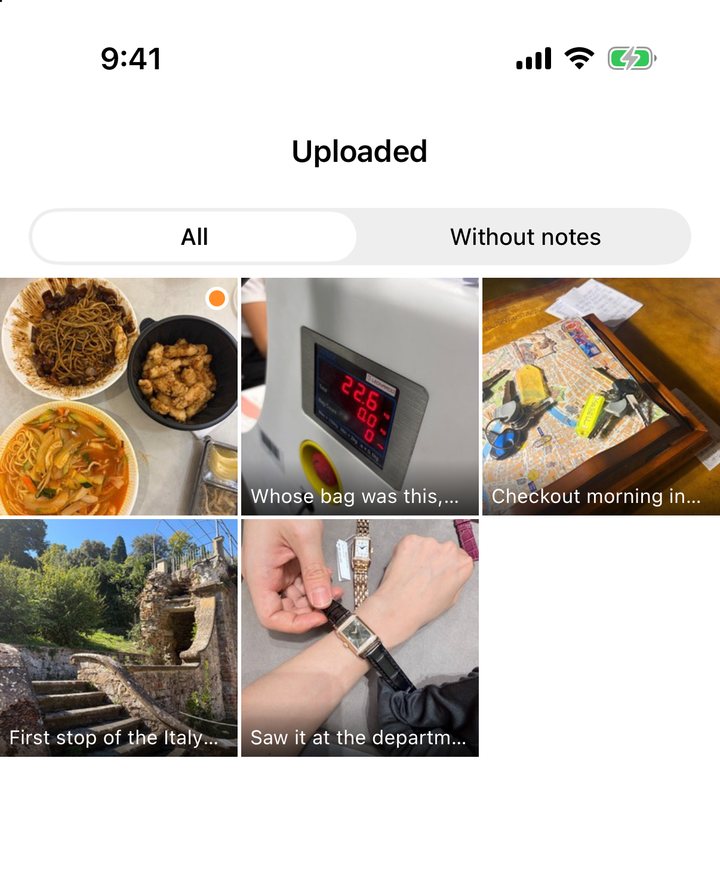
Pick photos or screenshots사진이나 스크린샷을 골라요
A schedule you screenshotted, something you saw in a shop, last month's trip. Nothing is uploaded unless you pick it.캡처해 둔 일정표, 가게에서 찍어 둔 물건, 지난달 여행. 고르지 않은 사진은 올라가지 않아요.
-
2
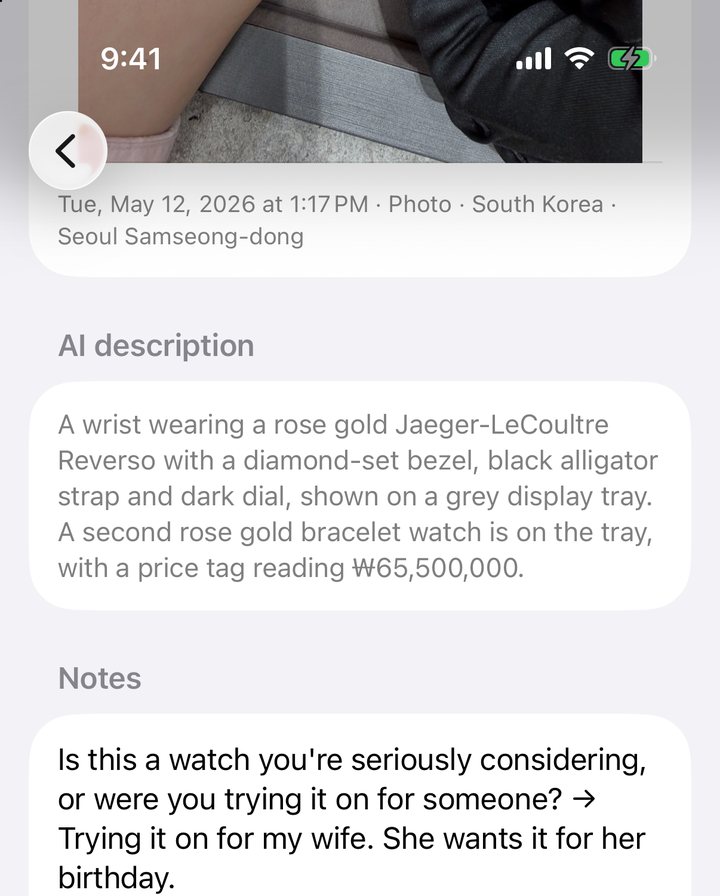
It asks what the picture can't show사진에 없는 걸 물어봐요
Photo Wiki reads the text, prices, place and time, then asks a short question, like why you saved it. Tap an answer, write your own, or skip.글자, 가격, 장소, 시각을 읽은 뒤 짧게 물어요. 왜 저장했는지 같은 것들요. 답을 누르거나, 직접 쓰거나, 건너뛰면 돼요.
-
3
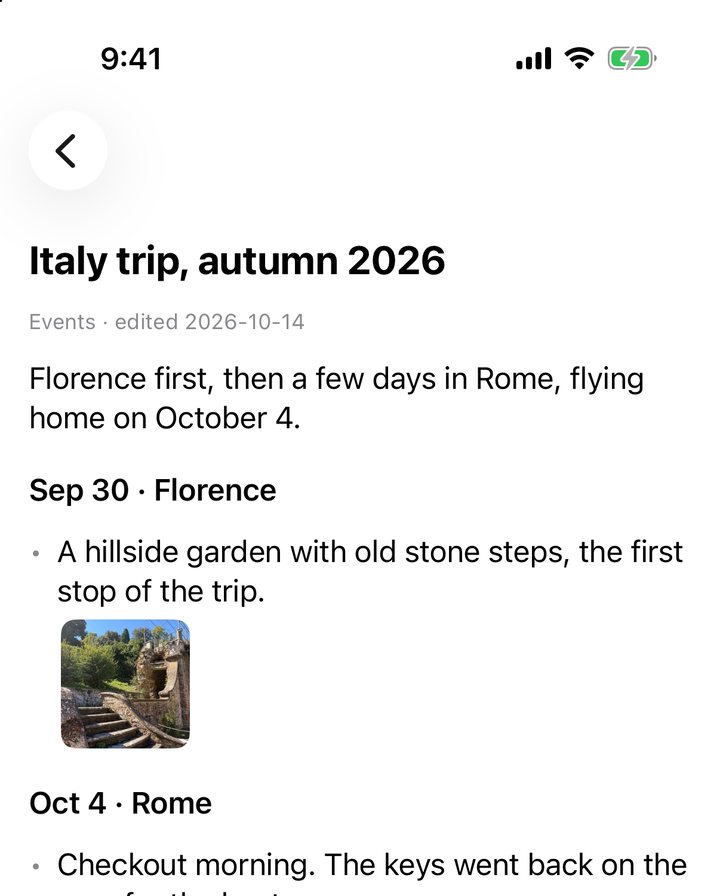
Your assistant keeps a wikiAI가 위키로 엮어요
Things you mention in conversation are written back onto the photo. Ask it to organise your photos and it builds pages for the trips, people and topics in them.대화에서 한 말이 그 사진에 다시 적혀요. 정리해 달라고 하면 여행, 사람, 주제별 페이지를 만들고 줄마다 근거 사진을 달아요.
Connect Claude in a minuteClaude 연결은 1분이면 돼요
Add Photo Wiki to Claude as a custom connector once. After that, Claude can look up your photos and notes in any chat, on the web, desktop or phone.Claude에 커스텀 커넥터로 한 번만 추가하면 돼요. 그다음부터는 웹, 데스크톱, 폰 어디서든 Claude가 내 사진과 메모를 찾아봐요.
Your photos stay yours사진은 내 것으로 남아요
- Originals never leave your phone원본은 폰을 떠나지 않아요Photo Wiki uploads a downscaled copy of the photos you choose, with their time and place.고른 사진의 줄인 사본과 촬영 시각·위치만 올려요.
- You can see where every line came from한 줄 한 줄 어디서 왔는지 보여요You, a conversation, or what was read from the image.내가 쓴 말인지, 대화에서 온 말인지, 사진에서 읽은 것인지 표시돼요.
- No ads, no tracking광고도 추적도 없어요Photos are read by Anthropic's Claude model to describe them. Your data is not used to train AI models.사진은 Anthropic의 Claude 모델이 읽어 설명을 적어요. 내 데이터는 AI 학습에 쓰이지 않아요.
- Delete anything, any time언제든 지울 수 있어요A single photo, or your whole account and everything in it, from inside the app.사진 한 장도, 계정과 그 안의 모든 것도 앱 안에서 지워요.