 Photo Wiki
Connect Photo Wiki to ClaudeClaude에 Photo Wiki 연결하기
Takes about a minute, once. After that Claude can look up your photos and notes in any chat.한 번, 1분이면 돼요. 그다음부터는 어느 대화에서든 Claude가 내 사진과 메모를 찾아봐요.
-
Open Claude's connector settingsClaude의 커넥터 설정을 열어요
In Claude, go to Settings → Connectors and choose Add custom connector. It works most reliably on the web (claude.ai) or the desktop app.Claude에서 설정 → 커넥터로 가서 커스텀 커넥터 추가를 눌러요. 컴퓨터의 웹(claude.ai)이나 데스크톱 앱에서 하는 게 가장 확실해요.
-
Paste the name and address이름과 주소를 붙여 넣어요
Tap each one to copy it, paste it into Claude, then choose Add.눌러서 복사한 뒤 Claude에 붙여 넣고 추가를 눌러요.
-
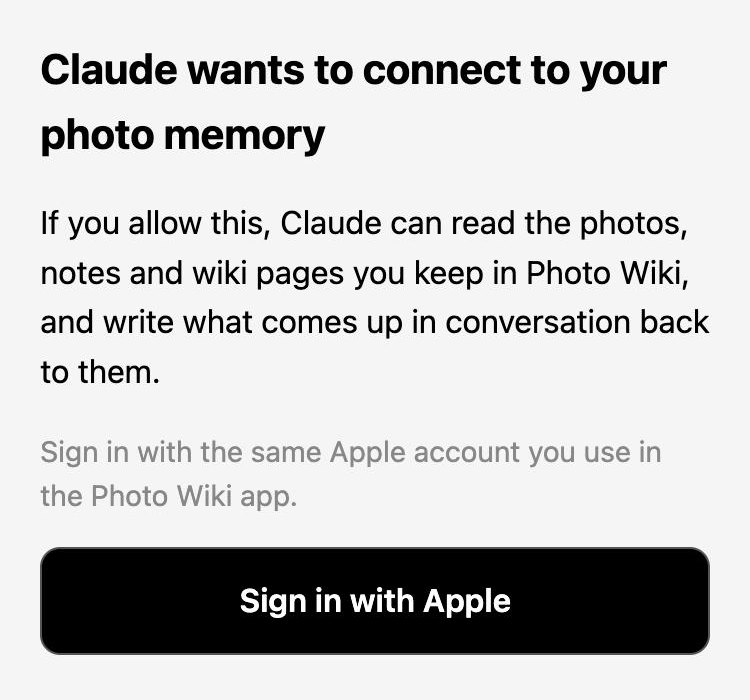
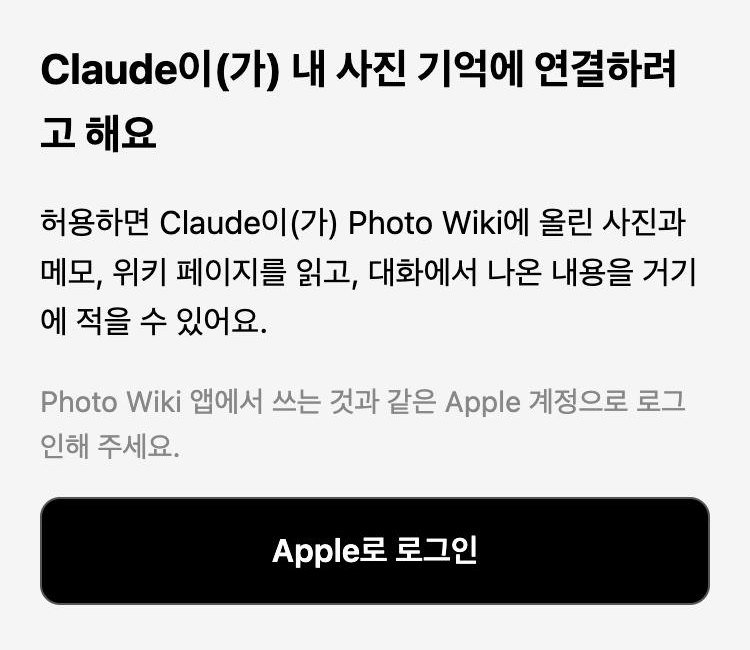
Sign in with AppleApple로 로그인해요
Choose Connect. A Photo Wiki page opens: sign in with the same Apple account you use in the app.연결을 누르면 Photo Wiki 화면이 떠요. 앱에서 쓰는 것과 같은 Apple 계정으로 로그인하세요.
-
Ask about your photos사진에 대해 물어봐요
Start a new chat and ask the way you normally would. The connector also works in the Claude mobile app on the same account.새 대화에서 평소처럼 물어보면 돼요. 같은 계정의 Claude 모바일 앱에서도 쓸 수 있어요.
- Where am I working Friday?모레 근무지 어디였지?
- Where did I see that watch I wanted?사려고 찍어 둔 시계, 어디서 봤지?
- Organise my photos사진 정리해줘
If something's off잘 안 될 때
Claude doesn't look in my photos.Claude가 사진을 안 찾아봐요.Say "look in my photo memory". Claude decides when to use a connector, and a nudge helps the first few times."내 사진 기억에서 찾아봐"라고 말해 보세요. 커넥터를 쓸지는 Claude가 정해서, 처음 몇 번은 이렇게 짚어 주면 좋아요.
My photos don't show up.내 사진이 안 나와요.You probably signed in with a different Apple account than the app. Remove the connector in Claude and connect again.앱과 다른 Apple 계정으로 로그인했을 가능성이 커요. Claude에서 커넥터를 지우고 다시 연결해 주세요.
I can't find "Add custom connector"."커스텀 커넥터 추가"가 안 보여요.Try Claude on the web or the desktop app. In a Team or Enterprise workspace, an admin may need to allow custom connectors.Claude 웹이나 데스크톱 앱에서 해 보세요. 회사(Team·Enterprise) 계정이면 관리자가 커스텀 커넥터를 허용해야 할 수 있어요.
How do I disconnect?연결을 끊고 싶어요.Remove it in Claude under Settings → Connectors. Your photos and notes stay in Photo Wiki.Claude의 설정 → 커넥터에서 지우면 돼요. 사진과 메모는 Photo Wiki에 그대로 남아요.